At Griham.io, we engineered the "Smart Wall" grid to end this tedious repetition.

Solvin Babu
Founder of Griham
Featured

Calculating the materials for a plain, solid wall is simple math: Length × Height × Thickness. But in the real world, walls are rarely solid blocks. They are punctured by doors, windows, archways, and ventilation gaps.
In traditional estimation, calculating a wall is a fragmented nightmare. You have to calculate the gross brickwork volume, manually subtract the volume of every single opening, and then remember to carry those same deductions over to your plastering, putty, and paint calculations. Even worse, you have to manually calculate the RCC lintel beams required to span those exact openings.
Forgetting to deduct a large window from your plastering calculation means you are paying for cement, sand, and labor that will never be used.
At Griham.io, we engineered the "Smart Wall" grid to end this tedious repetition. By giving the engine the raw dimensions and the area of your openings, it instantly calculates the net volumes for masonry, plaster, paint, and lintels simultaneously.
Here is exactly how to leverage the Smart Wall grid to protect your margins.
Understanding the Input Fields
All inputs in the Smart Wall grid are calculated in Meters (m) or Square Meters (m²).
1. Location / Wall
Use this description field to label your walls logically (e.g., "Master Bed Outer Walls", "GF Inner Partitions", "Kitchen Wall"). This keeps your final Bill of Quantities organized and easy to audit.
2. Len (m) - Wall Length
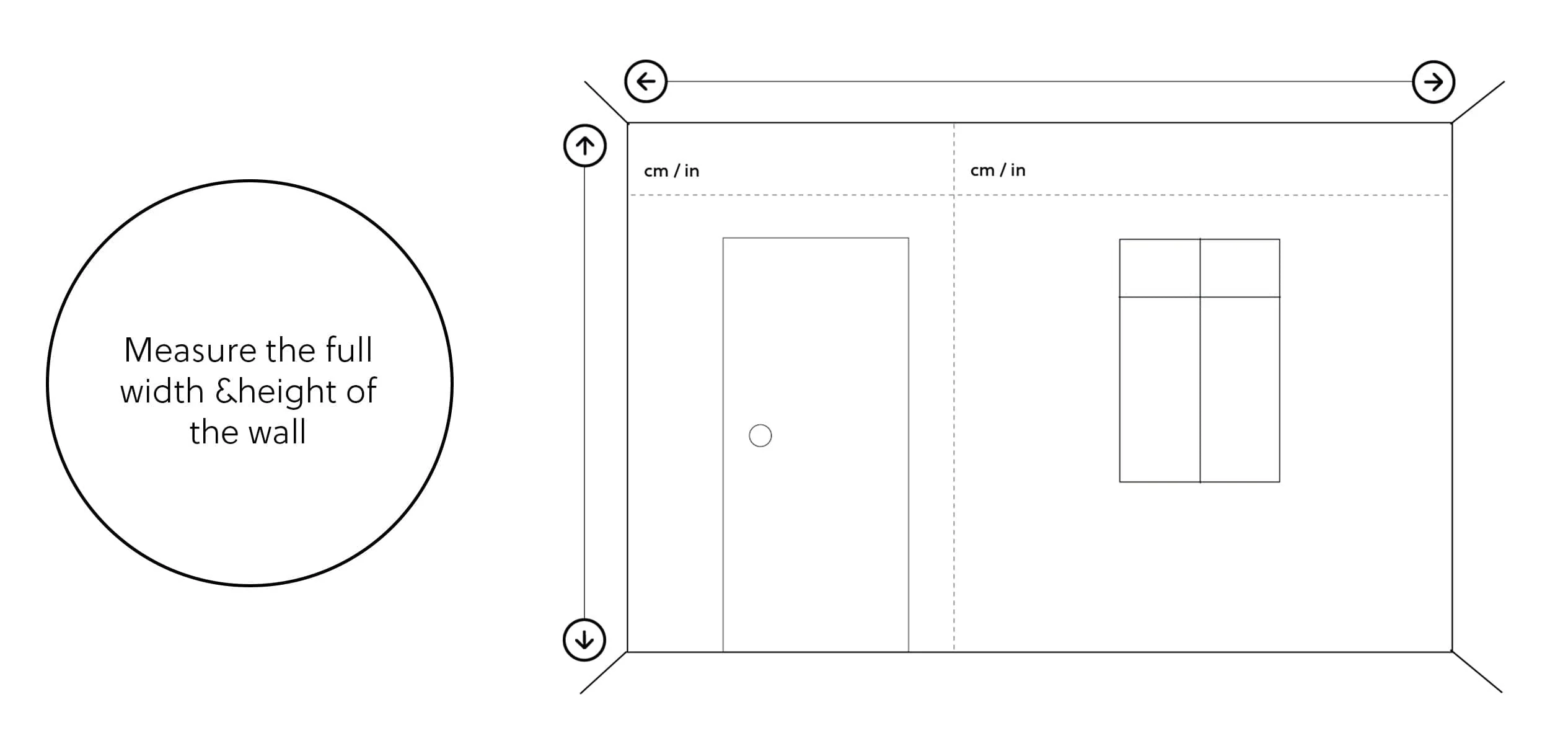
The total running length of the wall section.All dimentions are in M.
3. Ht (m) - Wall Height
The total height of the wall from the floor level up to the bottom of the roof slab or ceiling.
4. Thick (m) - Wall Thickness
Not all walls are built the same. We provide a quick dropdown for standard Indian construction thicknesses:
0.20m (8-inch): Standard for main exterior walls and load-bearing partitions.
0.10m (4-inch): Standard for half-brick inner partition walls. The engine uses this thickness to convert your square meter wall area into the exact cubic volume (m³) required for brickwork.
5. Deduct (m²) - Deductions for Openings
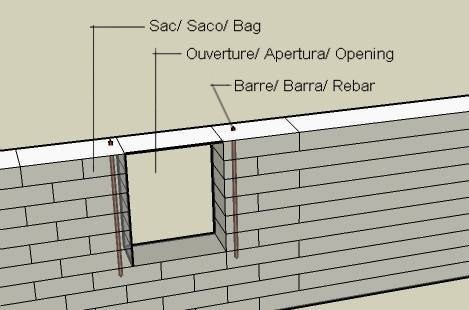
This is the most powerful field in the grid. Instead of doing line-by-line subtractions, simply enter the total square meter area of all the doors and windows on this specific wall.
Example: If a wall has two windows (each 1.5m × 1.5m), the total opening area is 4.5m². You simply enter
4.5here. The engine will instantly slice this 4.5m² out of your brickwork, slice it out of your inner plastering, slice it out of your outer plastering, and remove it from your paint calculations.
6. Waste% - Wastage Percentage
Bricks break during transit, and mortar falls to the floor. This column defaults to 5% to give you a realistic purchasing buffer. The engine calculates the pure mathematical net volume and then adds this percentage on top to ensure site continuity.
What Does the Engine Generate?
The true magic of the Parametric Takeoff Engine is the multiplier effect. When you hit "Calculate & Add to Staging", the engine processes that single row of inputs and instantly generates 8 distinct, highly accurate material lines in your BOQ:
Net Masonry Volume (m³): The engine calculates
(Length × Height) - Deductions, multiplies it by your chosen thickness, adds waste, and selects the correct material (AAC Blocks, Wire Cut Bricks, or Solid Blocks) based on your Project Quality Tier.RCC for Lintels & Belts (m³): It automatically recognizes that walls need lintels. It calculates a standard 0.15m thick RCC beam running across the length of the wall.
TMT Steel (8mm) for Lintels (Kg): It extracts the required reinforcement steel for the lintel using a standard density of 80 Kg per cubic meter of lintel concrete.
Outside Wall Plastering 12mm (m²): Calculates the net surface area (minus deductions) for the exterior face of the wall.
Inside Wall Plastering 12mm (m²): Calculates the net surface area for the interior face.
Wall Putty (Kg): Using standard coverage ratios (approx. 1.5 m² per Kg for 2 coats), it converts the interior plastering area into the exact kg of wall putty required.
Wall Primer (Liters): Converts the total plastering area into the required liters of primer.
Emulsion Paint (Liters): Converts the total surface area into liters of paint (Premium or Standard, depending on your project settings) using a coverage factor of 10 m² per liter.
One Input. Complete Finishes.
With the Smart Wall, you no longer have to jump between different Excel sheets for "Civil Work" and "Finishing Work." By simply defining the wall and its empty spaces, the engine perfectly calculates the skeleton and the skin of your building in milliseconds.
Ready to put a roof over these walls? Continue reading our guide on [Step 4: Roofing & Slabs Calculation].