At Griham.io, we believe in the rule of "Enter Data Once."

Solvin Babu
Founder of Griham
Featured
When estimating interior finishes, the biggest threat to your budget isn't usually the cost of the main floor tiles—it's the "invisible" supporting materials that get left off the spreadsheet.
In traditional estimation, contractors often calculate the square meter area for floor tiles, but completely forget to order the corresponding tile adhesive, the PCC leveling bed, or the running meters of skirting tiles. Furthermore, because the floor and the ceiling share the exact same footprint, estimators often duplicate their effort by measuring the house a second time just to calculate ceiling plaster and paint.
At Griham.io, we believe in the rule of "Enter Data Once."
If you know the floor area of a room, you automatically know the ceiling area. By using our Flooring & Ceiling Grid, you input a single dimensional area, and the Parametric Engine instantly generates the entire horizontal finishing package for that room—from the concrete base on the floor to the emulsion paint on the ceiling.
Here is exactly how this grid protects your margins and saves you hours of repetitive math.
Understanding the Input Fields
The Flooring & Ceiling grid is designed to be the fastest input section in the entire Takeoff Wizard.
1. Room / Area
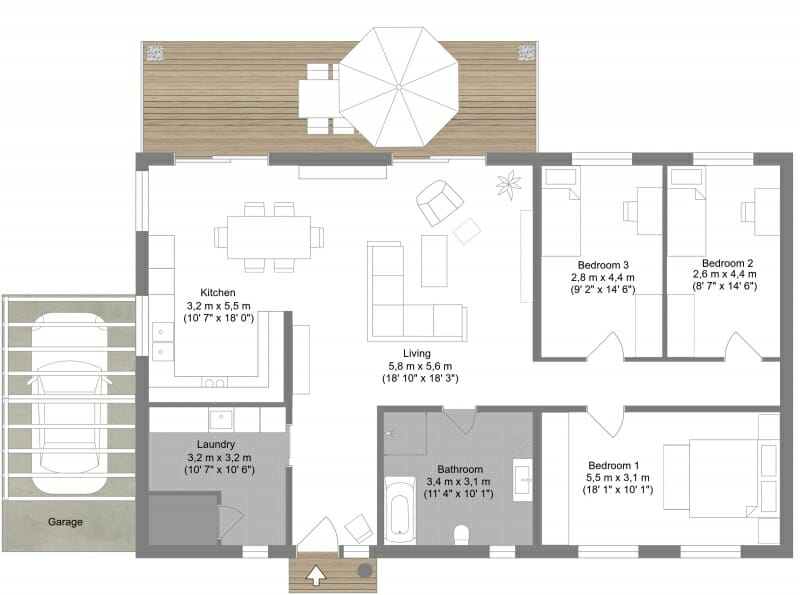
Enter the name of the space you are estimating (e.g., "Master Bedroom", "Living & Dining", "Kitchen"). Keeping this organized room-by-room helps during the actual execution phase when you are allocating tile boxes to specific floors.
2. Total Area (m²)
Simply enter the flat floor area of the room in square meters (Length × Width).
3. Waste% - Wastage Percentage
Floor tiles are notorious for high wastage due to edge-cutting, breakages in transit, and pattern matching. While the default is set to 5%, many contractors increase this to 8% or 10% for complex tile patterns. The engine will calculate the exact mathematical area and then apply this waste percentage to ensure you order enough material to finish the room without costly mid-day supply runs.
What Does the Engine Generate?
When you click "Calculate & Add to Staging", the engine uses your single Area input to reverse-engineer six distinct finishing materials.
It also intelligently reads your global "Project Quality" setting (Basic, Medium, or Luxury) to automatically select the correct grade of materials.
Here is the exact breakdown of what the Parametric Engine adds to your Bill of Quantities:
PCC Flooring Base 1:4:8 (m²): Before tiles can be laid, the structural floor needs a leveling course. The engine automatically calculates the square meter area for this PCC base layer, including your designated waste factor.
Primary Flooring Material (m²): It calculates the total area for the tiles. The Magic: If your project setup is "Basic," it selects Ceramic tiles. If "Medium," it selects Vitrified tiles. If "Luxury," it automatically upgrades the BOQ to Marble Flooring.
Skirting Tiles (Running Meters): You don't need to manually measure the perimeter of every room. The engine uses a square-root algorithm (
√Area × 4) to accurately approximate the running perimeter of the room, giving you the exact linear meters of skirting required.Tile Adhesive/Mortar (Kg): Using a standard industry thumb rule of 4 Kg of adhesive per square meter, the engine converts your floor area into the precise number of kilograms of tile adhesive you need to purchase.
Ceiling Plastering 1:3 (m²): The engine mirrors the floor area to the ceiling, automatically generating the square meter area required for overhead plastering.
Ceiling Emulsion Paint (Liters): Taking that ceiling area, the engine applies a standard paint coverage factor (10 m² per liter) and calculates exactly how many liters of ceiling paint you need.
Stop Doing Double the Work
By mathematically linking the floor and the ceiling, the Griham.io Takeoff Wizard cuts your interior estimation time in half. You never have to worry about forgetting the tile adhesive or miscalculating the skirting perimeter again.
With one number, the entire room is mathematically sealed.
Ready to calculate your doors and windows? Continue to our next guide: [Step 6: The Joineries Schedule].